Quelle Bug6879614.xml
Sprache: XML
<?
xml version =
"1.0" ?>
<!
DOCTYPE xsl :
stylesheet [<!
ENTITY nbsp
" " >]>
<
xsl :
stylesheet version =
'1.0' xmlns :
xsl =
'http://www.w3.org/1999/XSL/Transform ' >
<
xsl :output method=
"html" version =
"4" encoding =
"UTF-8" />
<!--* * * * * * * * * * * * * * * * * * * * * * * * * * * * * * * * * * * * * * * * * * * * * * * * * * * * * * * * * * * * * * * * * * * * * * * * * * * * * * * * Output HTML fields to keep the current context * @ param searchresult The current search result tree * @ param expandedgroups A tree representing the groups that have been expanded * * * * * * * * * * * * * * * * * * * * * * * * * * * * * * * * * * * * * * * * * * * * * * * * * * * * * * * * * * * * * * * * * * * * * * * * * * * * * * *
<
xsl :template name=
"contextKeeper" >
<
xsl :param name=
"pagedSearch" />
<input
type =
"hidden" name=
"stopsearch" value=
"" />
<input
type =
"hidden" name=
"expandgroup" value=
"" />
<input
type =
"hidden" name=
"expandselectedgroup" value=
"" />
<input
type =
"hidden" name=
"expandonmissing" value=
"" />
<input
type =
"hidden" name=
"nextview" value=
"{/xslui/@nextview}" />
<input
type =
"hidden" name=
"bookid" >
<
xsl :attribute name=
"value" >
<
xsl :if test=
"$pagedSearch and $pagedSearch/searchresult and $pagedSearch/searchresult/@bookid" >
<
xsl :value-of select=
"$pagedSearch/searchresult/@bookid" />
</
xsl :if>
</
xsl :attribute>
</input>
<input
type =
"hidden" name=
"actionbookid" >
<
xsl :attribute name=
"value" >
<
xsl :if test=
"$pagedSearch and $pagedSearch/searchresult and $pagedSearch/searchresult/@bookid" >
<
xsl :value-of select=
"$pagedSearch/searchresult/@bookid" />
</
xsl :if>
</
xsl :attribute>
</input>
<
xsl :if test=
"$pagedSearch/searchresult" >
<
xsl :variable name=
"searchResult" select=
"$pagedSearch/searchresult" />
<
xsl :if test=
"/xslui/iab/pagedsearch/searchresult/@searchid" >
<input
type =
"hidden" name=
"searchid" value=
"{$searchResult/@searchid}" />
</
xsl :if>
<input
type =
"hidden" name=
"filter" value=
"{$searchResult/@filter}" />
<input
type =
"hidden" name=
"firstentry" value=
"{$searchResult/@firstentry}" />
<input
type =
"hidden" name=
"sortby" value=
"{$searchResult/@sortby}" />
<
xsl :if test=
"$pagedSearch/expandedgroups" >
<
xsl :variable name=
"expandedGroups" select=
"$pagedSearch/expandedgroups" />
<
xsl :if test=
"$expandedGroups/expandedgroup" >
<
xsl :for-each select=
"$expandedGroups/expandedgroup" >
<input
type =
"hidden" name=
"expandedgroup" value=
"{@entryID}" />
</
xsl :for-each>
</
xsl :if>
</
xsl :if>
</
xsl :if>
</
xsl :template>
<!-- template to replace a string with another -->
<
xsl :template name=
"replace-string" >
<
xsl :param name=
"text" />
<
xsl :param name=
"replace" />
<
xsl :param name=
"with" />
<
xsl :choose>
<
xsl :when test=
"contains($text,$replace)" >
<
xsl :value-of select=
"substring-before($text,$replace)" />
<
xsl :value-of select=
"$with" />
<
xsl :call-template name=
"replace-string" >
<
xsl :with-param name=
"text"
select=
"substring-after($text,$replace)" />
<
xsl :with-param name=
"replace" select=
"$replace" />
<
xsl :with-param name=
"with" select=
"$with" />
</
xsl :call-template>
</
xsl :when>
<
xsl :otherwise>
<
xsl :value-of select=
"$text" />
</
xsl :otherwise>
</
xsl :choose>
</
xsl :template>
<!-- escapes quotes -->
<
xsl :template name=
"escape" >
<
xsl :param name=
"text" />
<
xsl :call-template name=
"replace-string" >
<
xsl :with-param name=
"text" select=
"$text" />
<
xsl :with-param name=
"replace" select=
"'"'" />
<
xsl :with-param name=
"with" select=
"'\"'" />
</
xsl :call-template>
</
xsl :template>
<!--* * * * * * * * * * * * * * * * * * * * * * * * * * * * * * * * * * * * * * * * * * * * * * * * * * * * * * * * * * * * * * * * * * * * * * * * * * * * * * * * This template displays the banner indicating the user the actual context . * @ param text The text to display in the banner * * * * * * * * * * * * * * * * * * * * * * * * * * * * * * * * * * * * * * * * * * * * * * * * * * * * * * * * * * * * * * * * * * * * * * * * * * * * * * *
<
xsl :template name=
"contextBanner" >
<
xsl :param name=
"text" select=
"''" />
<table width=
"100%" border=
"0" cellspacing=
"0" cellpadding=
"0" class=
"first-strip" summa
ry="This table displays the context banner" >"0" cellspacing="0" cellpadding="0" >"" src="{$spacer.gif}" width="17" height="25" />xsl :attribute name="nowrap" />"areatitle-large" >xsl :value-of select="$text" />"right" > </td>xsl :template>xsl :template name="uwcbutton" >xsl :param name="class" />xsl :param name="title" />xsl :param name="tabindex" select="1" />xsl :param name="type" select="button" />xsl :param name="id" />xsl :param name="name" />xsl :param name="value" />xsl :param name="onclick" />xsl :attribute name="name" >xsl :value-of select="$name" />xsl :attribute>xsl :attribute name="class" >xsl :value-of select="$class" />xsl :attribute>xsl :attribute name="title" >xsl :value-of select="$title" />xsl :attribute>xsl :attribute name="type" >xsl :value-of select="$type" />xsl :attribute>xsl :attribute name="id" >xsl :value-of select="$id" />xsl :attribute>xsl :attribute name="tabindex" >xsl :value-of select="$tabindex" />xsl :attribute>xsl :attribute name="onclick" >xsl :value-of select="$onclick" />xsl :attribute>xsl :attribute name="value" >xsl :value-of select="$value" />xsl :attribute>xsl :attribute name="onblur" >xsl :text>if (this.disabled==0 ) this.className='</xsl:text><xsl:value-of select="$class" /><xsl:text>' </xsl :text>xsl :attribute>xsl :attribute name="onmouseOver" >xsl :text>if (this.disabled==0 ) this.className='</xsl:text><xsl:value-of select="$class" /><xsl:text>Hov' </xsl :text>xsl :attribute>xsl :attribute name="onFocus" >xsl :text>if (this.disabled==0 ) this.className='</xsl:text><xsl:value-of select="$class" /><xsl:text>Hov' </xsl :text>xsl :attribute>xsl :attribute name="onmouseOut" >xsl :text>if (this.disabled==0 ) this.className='</xsl:text><xsl:value-of select="$class" /><xsl:text>' </xsl :text>xsl :attribute>xsl :template><!--* * * * * * * * * * * * * * * * * * * * * * * * * * * * * * * * * * * * * * * * * * * * * * * * * * * * * * * * * * * * * * * * * * * * * * * * * * * * * * * * This template prints HTML code for a button * @ param label The label of the button * @ param href The content of the href represented by the button * @ param class [ Optional ] The css class to use to print the label of the button , default is " button " * @ param color [ Optional ] The color of the button , default is defined by css - select . css depending on the colorset * @ param bgColorIndex [ Optional ] The background color index ( ' b ' , ' w ' or ' h ' ) on wich the button is going to be output , default is ' b ' * * * * * * * * * * * * * * * * * * * * * * * * * * * * * * * * * * * * * * * * * * * * * * * * * * * * * * * * * * * * * * * * * * * * * * * * * * * * * * * xsl :template name="button" >xsl :param name="label" />xsl :param name="href" select="'javascript:urlNotYetAvailable()'" />xsl :param name="target" select="'_self'" />xsl :param name="disabled" select="false()" />xsl :param name="color" select="$buttonColor" />xsl :param name="bgColorIndex" select="'b'" />xsl :variable name="path" select="concat('../absimx/', $colorTheme, '/')" />xsl :variable name="lowerLeft.gif" >xsl :value-of select="$path" />xsl :value-of select="'LL_corner_'" />xsl :if test="not($disabled)" >xsl :value-of select="concat($color, '_')" />xsl :if>xsl :value-of select="concat($bgColorIndex,'.gif')" />xsl :variable>xsl :variable name="lowerRight.gif" >xsl :value-of select="$path" />xsl :value-of select="'LR_corner_'" />xsl :if test="not($disabled)" >xsl :value-of select="concat($color, '_')" />xsl :if>xsl :value-of select="concat($bgColorIndex,'.gif')" />xsl :variable>xsl :variable name="upperLeft.gif" >xsl :value-of select="$path" />xsl :value-of select="'UL_corner_'" />xsl :if test="not($disabled)" >xsl :value-of select="concat($color, '_')" />xsl :if>xsl :value-of select="concat($bgColorIndex,'.gif')" />xsl :variable>xsl :variable name="upperRight.gif" >xsl :value-of select="$path" />xsl :value-of select="'UR_corner_'" />xsl :if test="not($disabled)" >xsl :value-of select="concat($color, '_')" />xsl :if>xsl :value-of select="concat($bgColorIndex,'.gif')" />xsl :variable>"0" cellpadding="0" border="0" >xsl :attribute name="style" >xsl :value-of select="'background-color: #'" />xsl :choose>xsl :when test="$disabled" >xsl :value-of select="'999999'" />xsl :when>xsl :otherwise>xsl :value-of select="$color" />xsl :otherwise>xsl :choose>xsl :attribute><!-- Start of button1 TOP --> "top" >xsl :choose>xsl :when test="not($disabled)" >href ="{$href}" target="{$target}" >"8" alt=" " src="{$upperLeft.gif}" width="8" border="0" />xsl :when>xsl :otherwise>"8" alt=" " src="{$upperLeft.gif}" width="8" border="0" />xsl :otherwise>xsl :choose>"center" align="middle" rowspan="2" >xsl :attribute name="nowrap" />xsl :choose>xsl :when test="$disabled" >"button-disabled" >xsl :value-of select="$label" />xsl :when>xsl :otherwise>"{$target}" href ="{$href}" class="button" >xsl :value-of select="$label" />xsl :otherwise>xsl :choose>"top" >xsl :choose>xsl :when test="not($disabled)" >"{$target}" href ="{$href}" >"8" alt=" " src="{$upperRight.gif}" width="8" border="0" />xsl :when>xsl :otherwise>"8" alt=" " src="{$upperRight.gif}" width="8" border="0" />xsl :otherwise>xsl :choose><!-- End of button1 TOP --> <!-- Start of button1 BOTTOM --> "bottom" >xsl :choose>xsl :when test="not($disabled)" >"{$target}" href ="{$href}" >"8" alt=" " src="{$lowerLeft.gif}" width="8" border="0" />xsl :when>xsl :otherwise>"8" alt=" " src="{$lowerLeft.gif}" width="8" border="0" />xsl :otherwise>xsl :choose>"bottom" >xsl :choose>xsl :when test="not($disabled)" >"{$target}" href ="{$href}" >"8" alt=" " src="{$lowerRight.gif}" width="8" border="0" />xsl :when>xsl :otherwise>"8" alt=" " src="{$lowerRight.gif}" width="8" border="0" />xsl :otherwise>xsl :choose><!-- End of button1 bottom --> xsl :template><!--* * * * * * * * * * * * * * * * * * * * * * * * * * * * * * * * * * * * * * * * * * * * * * * * * * * * * * * * * * * * * * * * * * * * * * * * * * * * * * * * This template prints the action buttons Save , Cancel and Help * For each button is called the javascript function of the same name : * save ( ) , cancel ( ) , help ( ) * The core of those functions must be declared in the main template * * * * * * * * * * * * * * * * * * * * * * * * * * * * * * * * * * * * * * * * * * * * * * * * * * * * * * * * * * * * * * * * * * * * * * * * * * * * * * * xsl :template name="save-cancel-help-bar" >xsl :param name="actionframe" />"0" cellspacing="0" cellpadding="0" width="100%" summary="This table displays the save, canceland help buttons" >"right" >"Btn1" type ="submit" name="Button5" id ="button" onMouseOver="if (this.disabled==0) this.className='Btn1Hov'" onFocus="if (this.disabled==0) this.className='Btn1Hov'" onMouseOut="if (this.disabled==0) this.className='Btn1'" onBlur="if (this.disabled==0) this.className='Btn1'" tabindex="2" >xsl :attribute name="value" >xsl :text>_Save</xsl :text>xsl :attribute>xsl :attribute name="title" >xsl :text>_Save</xsl :text>xsl :attribute>xsl :attribute name="onClick" >xsl :text>javascript:</xsl :text>xsl :if test="string-length($actionframe) > 0" >xsl :text>top.</xsl :text><xsl :value-of select="$actionframe" /><xsl :text>.</xsl :text>xsl :if>xsl :text>save()</xsl :text>xsl :attribute>"Btn2" type ="submit" name="Button5" id ="button" onMouseOver="if (this.disabled==0) this.className='Btn2Hov'" onFocus="if (this.disabled==0) this.className='Btn2Hov'" onMouseOut="if (this.disabled==0) this.className='Btn2'" onBlur="if (this.disabled==0) this.className='Btn2'" tabindex="3" >xsl :attribute name="value" >xsl :text>_Cancel</xsl :text>xsl :attribute>xsl :attribute name="title" >xsl :text>_Cancel</xsl :text>xsl :attribute>xsl :attribute name="onClick" >xsl :text>javascript:</xsl :text>xsl :if test="string-length($actionframe) > 0" >xsl :text>top.</xsl :text><xsl :value-of select="$actionframe" /><xsl :text>.</xsl :text>xsl :if>xsl :text>cancel()</xsl :text>xsl :attribute>"Btn2" type ="submit" name="Button52" id ="button" onMouseOver="if (this.disabled==0) this.className='Btn2Hov'" onFocus="if (this.disabled==0) this.className='Btn2Hov'" onMouseOut="if (this.disabled==0) this.className='Btn2'" onBlur="if (this.disabled==0) this.className='Btn2'" tabindex="4" >xsl :attribute name="value" >xsl :text>_Help</xsl :text>xsl :attribute>xsl :attribute name="title" >xsl :text>_Help</xsl :text>xsl :attribute>xsl :attribute name="onClick" >xsl :text>javascript:</xsl :text>xsl :if test="string-length($actionframe) > 0" >xsl :text>top.</xsl :text><xsl :value-of select="$actionframe" /><xsl :text>.</xsl :text>xsl :if>xsl :text>help()</xsl :text>xsl :attribute>"3" ><img alt="" src="{$spacer.gif}" width="1" height="6" /></td>xsl :template>xsl :template name="edit-delete-cancel-help-bar" >xsl :param name="helpurl" select="'javascript:urlNotYetAvailable()'" />xsl :param name="actionframe" />xsl :param name="group" />"Btn2" id ="delete" onblur="if (this.disabled==0) this.className='Btn2'" onmouseover="if (this.disabled==0) this.className='Btn2Hov'" onfocus="if (this.disabled==0) this.className='Btn2Hov'" tabIndex="5" onmouseout="if (this.disabled==0) this.className='Btn2'" type ="button" name="delete" >xsl :attribute name="value" >xsl :text>_Delete</xsl :text>xsl :attribute>xsl :attribute name="title" >xsl :text>_Delete</xsl :text>xsl :attribute>xsl :attribute name="onClick" >xsl :text>javascript:</xsl :text>xsl :if test="string-length($actionframe) > 0" >xsl :text>top.</xsl :text><xsl :value-of select="$actionframe" /><xsl :text>.</xsl :text>xsl :if>xsl :text>deleteSelectedGroup()</xsl :text>xsl :attribute>"Btn2" id ="edit" onBlur="if (this.disabled==0) this.className='Btn2'" onMouseOver="if (this.disabled==0) this.className='Btn2Hov'" onFocus="if (this.disabled==0) this.className='Btn2Hov'" tabindex="4" onMouseOut="if (this.disabled==0) this.className='Btn2'" type ="button" name="edit" >xsl :attribute name="value" >xsl :text>_Edit</xsl :text>xsl :attribute>xsl :attribute name="title" >xsl :text>_Edit</xsl :text>xsl :attribute>xsl :attribute name="onClick" >xsl :text>javascript:</xsl :text>xsl :if test="string-length($actionframe) > 0" >xsl :text>top.</xsl :text><xsl :value-of select="$actionframe" /><xsl :text>.</xsl :text>xsl :if>xsl :text>editSelectedGroup()</xsl :text>xsl :attribute>"right" >"Btn1" id ="save" onblur="if (this.disabled==0) this.className='Btn1'" onmouseover="if (this.disabled==0) this.className='Btn1Hov'" onfocus="if (this.disabled==0) this.className='Btn1Hov'" tabIndex="1" onmouseout="if (this.disabled==0) this.className='Btn1'" type ="button" name="close" >xsl :attribute name="value" >xsl :text>_Close</xsl :text>xsl :attribute>xsl :attribute name="title" >xsl :text>_Close</xsl :text>xsl :attribute>xsl :attribute name="onClick" >xsl :text>javascript:</xsl :text>xsl :if test="string-length($actionframe) > 0" >xsl :text>top.</xsl :text><xsl :value-of select="$actionframe" /><xsl :text>.</xsl :text>xsl :if>xsl :text>cancel()</xsl :text>xsl :attribute>"Btn2" id ="help" onblur="if (this.disabled==0) this.className='Btn2'" onmouseover="if (this.disabled==0) this.className='Btn2Hov'" onfocus="if (this.disabled==0) this.className='Btn2Hov'" tabIndex="3" onmouseout="if (this.disabled==0) this.className='Btn2'" type ="button" name="help" >xsl :attribute name="value" >xsl :text>_Help</xsl :text>xsl :attribute>xsl :attribute name="title" >xsl :text>_Help</xsl :text>xsl :attribute>xsl :attribute name="onClick" >xsl :text>javascript:</xsl :text>xsl :if test="string-length($actionframe) > 0" >xsl :text>top.</xsl :text><xsl :value-of select="$actionframe" /><xsl :text>.</xsl :text>xsl :if>xsl :text>help()</xsl :text>xsl :attribute>xsl :template><!--* * * * * * * * * * * * * * * * * * * * * * * * * * * * * * * * * * * * * * * * * * * * * * * * * * * * * * * * * * * * * * * * * * * * * * * * * * * * * * * * This template prints the action buttons Save , ' Save and Add Another ' , Cancel and Help * For each button is called the javascript function of the same name : * save ( ) , saveAndAddAnother ( ) , cancel ( ) , help ( ) * The core of those functions must be declared in the main template * * * * * * * * * * * * * * * * * * * * * * * * * * * * * * * * * * * * * * * * * * * * * * * * * * * * * * * * * * * * * * * * * * * * * * * * * * * * * * * xsl :template name="save-saveandaddanother-cancel-help-bar" >xsl :param name="actionframe" />"0" cellspacing="0" cellpadding="0" width="100%" summary="This table displays the save, save-and-add-another, cancel and help buttons" >"right" >"Btn1" type ="submit" name="Button5" id ="button" onMouseOver="if (this.disabled==0) this.className='Btn1Hov'" onFocus="if (this.disabled==0) this.className='Btn1Hov'" onMouseOut="if (this.disabled==0) this.className='Btn1'" onBlur="if (this.disabled==0) this.className='Btn1'" tabindex="2" >xsl :attribute name="value" >xsl :text>_Save</xsl :text>xsl :attribute>xsl :attribute name="title" >xsl :text>_Save</xsl :text>xsl :attribute>xsl :attribute name="onClick" >xsl :text>javascript:</xsl :text>xsl :if test="string-length($actionframe) > 0" >xsl :text>top.</xsl :text><xsl :value-of select="$actionframe" /><xsl :text>.</xsl :text>xsl :if>xsl :text>save()</xsl :text>xsl :attribute>"Btn1" type ="submit" name="Button5" id ="button" onMouseOver="if (this.disabled==0) this.className='Btn1Hov'" onFocus="if (this.disabled==0) this.className='Btn1Hov'" onMouseOut="if (this.disabled==0) this.className='Btn1'" onBlur="if (this.disabled==0) this.className='Btn1'" tabindex="3" >xsl :attribute name="value" >xsl :text>_Save and Add Another</xsl :text>xsl :attribute>xsl :attribute name="title" >xsl :text>_Save and Add Another</xsl :text>xsl :attribute>xsl :attribute name="onClick" >xsl :text>javascript:</xsl :text>xsl :if test="string-length($actionframe) > 0" >xsl :text>top.</xsl :text><xsl :value-of select="$actionframe" /><xsl :text>.</xsl :text>xsl :if>xsl :text>save(true)</xsl :text>xsl :attribute>"Btn2" type ="submit" name="Button51" id ="button" onMouseOver="if (this.disabled==0) this.className='Btn2Hov'" onFocus="if (this.disabled==0) this.className='Btn2Hov'" onMouseOut="if (this.disabled==0) this.className='Btn2'" onBlur="if (this.disabled==0) this.className='Btn2'" tabindex="4" >xsl :attribute name="value" >xsl :text>_Cancel</xsl :text>xsl :attribute>xsl :attribute name="title" >xsl :text>_Cancel</xsl :text>xsl :attribute>xsl :attribute name="onClick" >xsl :text>javascript:</xsl :text>xsl :if test="string-length($actionframe) > 0" >xsl :text>top.</xsl :text><xsl :value-of select="$actionframe" /><xsl :text>.</xsl :text>xsl :if>xsl :text>cancel()</xsl :text>xsl :attribute>"Btn2" type ="submit" name="Button52" id ="button" onMouseOver="if (this.disabled==0) this.className='Btn2Hov'" onFocus="if (this.disabled==0) this.className='Btn2Hov'" onMouseOut="if (this.disabled==0) this.className='Btn2'" onBlur="if (this.disabled==0) this.className='Btn2'" onClick="" tabindex="5" >xsl :attribute name="value" >xsl :text>_Help</xsl :text>xsl :attribute>xsl :attribute name="title" >xsl :text>_Help</xsl :text>xsl :attribute>xsl :attribute name="onClick" >xsl :text>javascript:</xsl :text>xsl :if test="string-length($actionframe) > 0" >xsl :text>top.</xsl :text><xsl :value-of select="$actionframe" /><xsl :text>.</xsl :text>xsl :if>xsl :text>help()</xsl :text>xsl :attribute>"3" ><img alt="" src="{$spacer.gif}" width="1" height="6" /></td>xsl :template><!--* * * * * * * * * * * * * * * * * * * * * * * * * * * * * * * * * * * * * * * * * * * * * * * * * * * * * * * * * * * * * * * * * * * * * * * * * * * * * * * * This template prints the action buttons Ok , Cancel and Help * For each button is called the javascript function of the same name : * ok ( ) , cancel ( ) , help ( ) * The core of those functions must be declared in the main template * * * * * * * * * * * * * * * * * * * * * * * * * * * * * * * * * * * * * * * * * * * * * * * * * * * * * * * * * * * * * * * * * * * * * * * * * * * * * * * xsl :template name="ok-cancel-help-bar" >xsl :param name="buttontext" select="'OK'" />xsl :param name="buttoncontext" select="'_OK'" />xsl :param name="language" select="'en'" />xsl :param name="actionframe" />"0" cellspacing="0" cellpadding="0" width="100%" summary="This table displays the ok, cancel and help buttons" >"right" >"Btn1" type ="submit" name="Button" id ="button" onmouseover="if (this.disabled==0) this.className='Btn1Hov'" onfocus="if (this.disabled==0) this.className='Btn1Hov'" onmouseout="if (this.disabled==0) this.className='Btn1'" onblur="if (this.disabled==0) this.className='Btn1'" tabindex="1" >xsl :attribute name="value" ><xsl :value-of select="$buttontext" /></xsl :attribute>xsl :attribute name="title" ><xsl :value-of select="$buttontext" /></xsl :attribute>xsl :attribute name="onClick" >xsl :text>javascript:</xsl :text>xsl :if test="string-length($actionframe) > 0" >xsl :text>top.</xsl :text><xsl :value-of select="$actionframe" />xsl :text>.</xsl :text>xsl :if>xsl :text>ok()</xsl :text>xsl :attribute>"Btn2" type ="submit" name="Button5" id ="button" onMouseOver="if (this.disabled==0) this.className='Btn2Hov'" onFocus="if (this.disabled==0) this.className='Btn2Hov'" onMouseOut="if (this.disabled==0) this.className='Btn2'" onBlur="if (this.disabled==0) this.className='Btn2'" tabindex="3" >xsl :attribute name="value" >xsl :text>_Cancel</xsl :text>xsl :attribute>xsl :attribute name="title" >xsl :text>_Cancel</xsl :text>xsl :attribute>xsl :attribute name="onClick" >xsl :text>javascript:</xsl :text>xsl :if test="string-length($actionframe) > 0" >xsl :text>top.</xsl :text><xsl :value-of select="$actionframe" /><xsl :text>.</xsl :text>xsl :if>xsl :text>cancel()</xsl :text>xsl :attribute>"Btn2" type ="submit" name="Button52" id ="button" onMouseOver="if (this.disabled==0) this.className='Btn2Hov'" onFocus="if (this.disabled==0) this.className='Btn2Hov'" onMouseOut="if (this.disabled==0) this.className='Btn2'" onBlur="if (this.disabled==0) this.className='Btn2'" onClick="" tabindex="4" >xsl :attribute name="value" >xsl :text>_Help</xsl :text>xsl :attribute>xsl :attribute name="title" >xsl :text>_Help</xsl :text>xsl :attribute>xsl :attribute name="onClick" >xsl :text>javascript:openhelp('</xsl:text> xsl :choose>xsl :when test="$buttoncontext='AddInvitees'" >xsl :value-of select="/xslui/@contexturi" />xsl :text>/help/</xsl :text><xsl :value-of select="$language" /><xsl :text>/p5.html #aefay');</xsl:text> xsl :when>xsl :when test="$buttoncontext='_addaddresses' or $buttoncontext='addaddresses'" >xsl :value-of select="/xslui/@contexturi" />xsl :text>/help/</xsl :text><xsl :value-of select="$language" /><xsl :text>/p5.html #aefaz');</xsl:text> xsl :when>xsl :when test="$buttoncontext='_addrecipients'" >xsl :value-of select="/xslui/@contexturi" />xsl :text>/help/</xsl :text><xsl :value-of select="$language" /><xsl :text>/p6.html #aefba');</xsl:text> xsl :when>xsl :when test="$buttoncontext='Subscribe'" >xsl :value-of select="/xslui/@contexturi" />xsl :text>/help/</xsl :text><xsl :value-of select="$language" /><xsl :text>/p9.html #gbmoc');</xsl:text> xsl :when>xsl :when test="$buttoncontext='_addaddress'" >xsl :value-of select="/xslui/@contexturi" />xsl :text>/help/</xsl :text><xsl :value-of select="$language" /><xsl :text>/p36.html #gbfgy');</xsl:text> xsl :when>xsl :otherwise>xsl :value-of select="/xslui/@contexturi" />xsl :text>/help/</xsl :text><xsl :value-of select="$language" /><xsl :text>/p6.html #aefbb');</xsl:text> xsl :otherwise>xsl :choose>xsl :attribute>"3" ><img alt="" src="{$spacer.gif}" width="1" height="6" /></td>xsl :template><!--* * * * * * * * * * * * * * * * * * * * * * * * * * * * * * * * * * * * * * * * * * * * * * * * * * * * * * * * * * * * * * * * * * * * * * * * * * * * * * * * This template prints the action buttons Return and Help * For each button is called the javascript function of the same name : * goBack ( ) , help ( ) * The core of those functions must be declared in the main template * * * * * * * * * * * * * * * * * * * * * * * * * * * * * * * * * * * * * * * * * * * * * * * * * * * * * * * * * * * * * * * * * * * * * * * * * * * * * * * xsl :template name="close-help-bar" >xsl :param name="helpurl" select="'javascript:urlNotYetAvailable()'" />"0" cellpadding="0" border="0" summary="This table displays the goback and help buttons" >"" height="9" src="{$spacer.gif}" width="1" /></td>xsl :call-template name="button" >xsl :with-param name="label" >xsl :text>_Close</xsl :text>xsl :with-param>xsl :with-param name="href" >xsl :text>javascript:goBack()</xsl :text>xsl :with-param>xsl :with-param name="bgColorIndex" select="'w'" />xsl :call-template>"1" alt=" " src="{$spacer.gif}" width="5" border="0" />xsl :call-template name="button" >xsl :with-param name="label" >xsl :text>_Help</xsl :text>xsl :with-param>xsl :with-param name="href" >xsl :text>javascript:openhelp('</xsl:text> xsl :value-of select="$helpurl" />xsl :text>')</xsl:text> xsl :with-param>xsl :with-param name="bgColorIndex" select="'w'" />xsl :call-template>"" height="9" src="{$spacer.gif}" width="1" /></td>xsl :template><!--* * * * * * * * * * * * * * * * * * * * * * * * * * * * * * * * * * * * * * * * * * * * * * * * * * * * * * * * * * * * * * * * * * * * * * * * * * * * * * This template prints a legend concerning required info . * * * * * * * * * * * * * * * * * * * * * * * * * * * * * * * * * * * * * * * * * * * * * * * * * * * * * * * * * * * * * * * * * * * * * * * * * * * * * xsl :template name="requiredInfo" >"0" cellpadding="0" border="0" bgcolor="#FFFFFF" width="100%" summary="This table contains the legend concerning required info" >"3" >"" src="{$spacer.gif}" width="1" height="3" />"0" cellpadding="0" border="0" >"top" >"#0000FF" class="bold" >*</font>"reduced-text" >xsl :text>_Indicates required information</xsl :text>xsl :template>xsl :stylesheet > Messung V0.5 in Prozent C=98 H=99 G=98
¤ Dauer der Verarbeitung: 0.5 Sekunden
(vorverarbeitet am 2026-06-10)
¤ *© Formatika GbR, Deutschland
2026-08-25
Neuigkeiten Aktuelles Motto des Tages Open Source Software
Jenseits des Üblichen ....
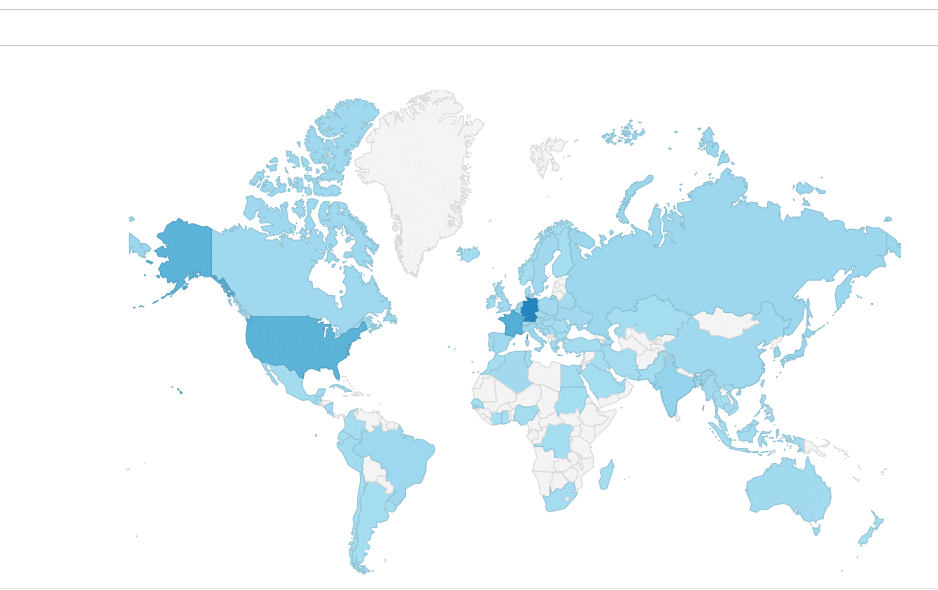
Besucherstatistik
Statistik #Sources=434850 #Domains=655579